

Awesome Highlighter
The back to school rush is hitting its stride and with it comes the need for more resources to enhance education and make studying a more simplified practice. Awesome Highlighter is one of those resources.
Highlight Pages
Awesome Highlighter is like a virtual highlighter for everything on the web. Much like physical ink highlighters are used to note passages in books, Awesome Highlighter does the same for web pages.
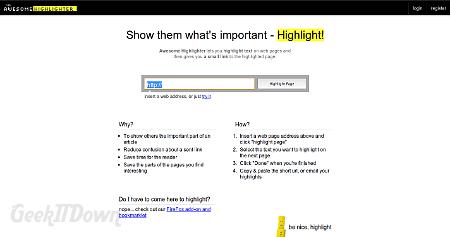
Users enter in the url of a website, click Highlight Page and away they go. Awesome Highlighter renders the web page inside the existing window and places a toolbar at the top of the page. Users then take the on screen highlighter and click and drag it across the areas they want highlighted. When finished, there is a Done button on the toolbar which tells Awesome Highlighter to render the newly highlighted page.

Interface
Loading of a web page inside Awesome Highlighter does take a moment or two, but otherwise the interface was very responsive. Using the highlighter does take a bit of getting used to though overall was accurate.
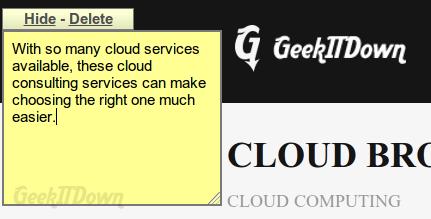
The toolbar at the top provides several items including a link back to the Awesome Highlighter homepage, highlighter color choices and the sticky note feature. Sticky notes are just like they sound, a note is placed on the web page with an area for text. The note can be hidden or moved about the page as needed.
Other Features
After a web page has been highlighted, users are presented a shortlink url which points back to the annotated page. Awesome Highlighter has also incorporated Delicious, Facebook, Twitter and WordPress into their platform for sharing purposes.
Awesome Highlighter also provides very minimal stats tracking which shows how many times your highlighted page has been viewed, date and time of viewing and location of viewer if available.
Issues
We did have some problems highlighing web pages from Linux platforms. While the service did highlight sections on screen, the service didn’t recognize the highlights in the final product. Notes however functioned properly across the board.
Final Thoughts
Nowadays, it’s simply not enough to read a textbook and obtain all the information needed for study. Students need to share notes and expand beyond traditional textbooks to digital resources. Awesome Highlighter makes learning sharing possible and in the process guides users into prioritizing what’s actually important.
Visit Awesome Highlighter
If you enjoyed or found this article useful, please show us some support by liking us on Facebook or by sharing us on your favorite social website. Thanks!