

• Home
  • About Us
  • Services
  • Blog
  • Contact
How To Check A Website’s Status
Aug 25
Chief Geek 1 Response Permalink

How To Check A Website’s Status

ItsNotJust.Me

From time to time all websites experience outages. Typically the downtime isn’t very long and often times most users don’t even realize there was a problem. However, when a website experiences a significant outage the users who notice compounds the longer the issue remains. ItsNotJust.Me is an simple way for users to check if a website is truly down or if their connection issue is unique.

In June of 2012, Amazon Web Services (AWS) experienced a significant outage and as a result websites across the web were down and inaccessible. The result was widespread chatter across social networks and businesses from users wondering what was wrong with their service(s).

Companies like Netflix, Pinterest and others use AWS and so when their websites and services were disrupted it was immediately noticed. For those instances, social media will likely be the first source for information and confirmation that it’s an outage. What about smaller niche websites and services though?

ItsNotJust.Me is the answer. Users wondering why a website or service is inaccessible can enter the url address of the affected website on ItsNotJust.Me to find out if it’s truly an outage or a client side error. The simple result will show whether the website is down for just you (the user) or if it’s a more widespread problem. Next time a website is unresponsive and you think there might be a problem, use ItsNotJust.Me to check it out.
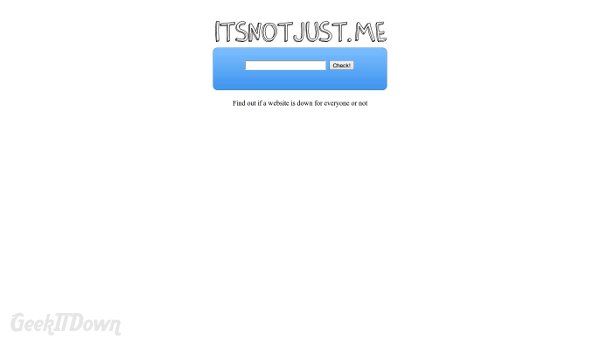
Nifty Websites Collection ItsNotJust.me

Visit ItsNotJust.Me

If you enjoyed or found this article useful, please show us some support by liking us on Facebook or by sharing us on your favorite social website. Thanks!

Make Your Website Part Of The Nifty Collection


About the author

Chief Geek Chief Geek Chief, as we call him, is editor and head writer at GeekITDown Blog, an IT professional, social media manager and our all around tech guru. When he's not knee deep in all things tech, he's a rabid hockey fan, animal lover and part-time pool shark. More posts by this author
Tweet
Permalink

Related Posts

  • Statwing – Make Your Data Come To Life
    Statwing – Make Your Data Come To Life
  • 2012 Holiday App Roundup
    2012 Holiday App Roundup
  • 2012 Nifty Website of the Year Nominations
    2012 Nifty Website of the Year Nominations
One Response to How To Check A Website’s Status
  • Doug Spence September 10, 2012

    Nice to know about this information..

Leave a comment

Your email address will not be published.

Click here to cancel reply.

POST COMMENT

CAPTCHA Image
Refresh Image
*

Search

Find us on Facebook

Newsletter Signup Form

Get all sorts of info on giveaways, special event coverage, promotions and other blog features, delivered to your email inbox!
Subscribe to our free newsletter!

Categories

Puzzled by tech?

Time to GeekITDown!

Recent Comments

  • Susie on Top 5 Things We Dislike About Windows 8
  • Chief Geek on Pin Tab To Taskbar – Internet Explorer 9
  • RazlDazl on Pin Tab To Taskbar – Internet Explorer 9
  • Chief Geek on View Your Complete StumbleUpon History

Recent posts

  • Is Microsoft’s New Xbox The ‘One’ We’ve Been Waiting For?
    Is Microsoft’s New Xbox The ‘One’ We’ve Been Waiting For? This week Microsoft unveiled the next generation of Xbox con...
  • App Roundup: Tekken Card Tournament
    App Roundup: Tekken Card Tournament Tekken Card Tournament has emerged from beta for mobile and ...
  • Evernote: Quick Tips To Get Started
    Evernote: Quick Tips To Get Started If you’re a smartphone owner, then you’re likely...

Search

STAY IN TOUCH

Phone: 352-366-1316 info@geekitdown.com
Follow Us on facebookFollow Us on linkedinFollow Us on pinterestFollow Us on googleFollow Us on rssFollow Us on twitter

  • Home
  • Support
  • Contact
  • Sitemap
  • Privacy
Copyright © 2012 GeekITDown