

Pluggio
There are a plethora of tools available for managing and administrating Twitter accounts. Popular services like Tweetdeck and Hootsuite have loyal followings while other niche apps target specific uses. The benefit is that Twitter transforms from a simple nugget sharing service to a robust platform. Pluggio is a time saving tool designed to handle scheduling and search tasks.
Service Features
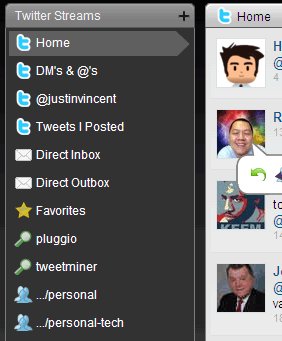
Information is delivered through streams. Whether it be saved hashtags, users, searches, lists or other information, Pluggio keeps them all stored for easy reference. In many ways Pluggio accomplishes what users expect from a Twitter app. It can be used to create streams of information, schedule posts and find friends or other users.
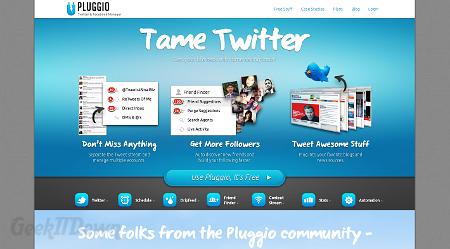
Pluggio goes beyond the basics with automation and Dripfeed. Automation allows for automatic posting of content from sources such as RSS feeds or Twitter searches. The benefit is that users who normally Tweet out blog postings or news updates can set the automation and forget about wasting time adding tweets to a queue. Similar in nature is Dripfeed. Dripfeed is a unique way to schedule tweets by adding them to a buffer for release on a schedule.
Additionally, those who want to track link stats can associate a bit.ly account with Pluggio and see just how often links are clicked and which links they were.
Interface
We especially like the way Pluggio stands apart from other Twitter management tools. While others align the streams across the screen in what can be described as an always open view, Pluggio prefers to list the streams in a navigation pane. Clicking an item from the list pops out the stream and focuses attention to that single stream.
For those with many lists, saved searches and other streams, the list view may feel more comfortable than scrolling around the browser window.
Other Notes
The Pluggio service is free with paid plans available. The free plan is sufficient with one exception. Users can only schedule 10 tweets/Dripfeed tweets. Most power users will want to upgrade to the Professional or Social Guru plans which start at $12.95/month.
Visit Pluggio
If you enjoyed or found this article useful, please show us some support by liking us on Facebook or by sharing us on your favorite social website. Thanks!