

PDFmyURL
It’s well known that PDFs are a standard when it comes to preserving and presenting documents for readability. PDFs are the format of choice when sharing documents and manuals online as well as offline. However, it can be a bit tricky when capturing a website in PDF form. That’s why users choose PDFmyURL.
Usage
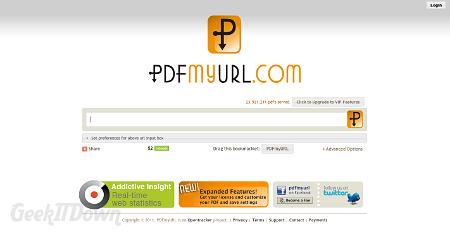
PDFmyURL captures any website and saves it as a pdf file. Users enter in a url address and PDFmyURL accesses the location to create a pdf file which is then downloaded to the user’s computer. The procedure is extremely simple and as a standalone service, plainly does what’s expected.
Features
PDFmyURL does offer more advanced features to satisfy those who need more from their output. Through varying page sizes, orientation and a plethora of capture features, the presentation can be dramatically altered.
Through their Look and Feel options, users can eliminate backgrounds, color and links. There are additional settings for modifying a cover page, a table of contents as well as the ability to disable javascript prior to pdf capture.
Users can also add the PDFmyURL bookmarklet to their browser to make pdfs quickly whenever they’re surfing the web.
Advanced Options
Versatility is not something we expected from PDFmyURL, but they’ve got it. Some of the more appealing options include converting HTML code to PDF, PDFmyURL as a service, server use and others.
Those looking to dive into this service on their server can examine the wealth of arguments available and really utilize the power of PDFmyURL.
Conclusion
While printing webpages has become easier recently with default pdf print features built in to modern browsers, PDFmyURL does all the work and then some for users which makes it a nice resource. Users with little to no experience creating pdf files can benefit from the ease of use with this service and likely get as much out of it as needed.
The advanced options and features are only available to Premium account holders with plans ranging from $14.50/year for personal use to $49.00/month for business use. The prices are steep, so users should be sure they need and plan to use the advanced features before they commit.
We’d like to see some of the advanced features opened up for free use. For example, disabling of javascript. With the web the way it is, javascript is a mainstay on many websites. Having that single feature under the umbrella of premium access somewhat diminishes the on-demand value of PDFmyURL’s service. Nevertheless, PDFmyURL does provide a much needed resource for those looking to make quick pdfs of webpages.
Visit PDFmyURL
If you enjoyed or found this article useful, please show us some support by liking us on Facebook or by sharing us on your favorite social website. Thanks!