

Droplr
Need to share files with others? No problem, Droplr is here to help. Like other quick file share sites, Droplr uses links to deliver the information to friends or co-workers. Droplr is different because it integrates so seamlessly with iPhone and functions so smoothly.
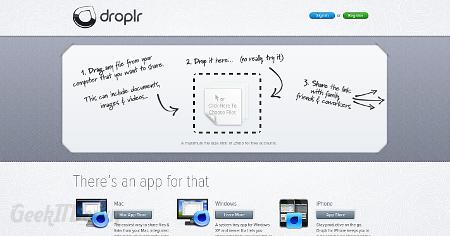
Droplr files are shared quickly by providing file recipients with a shortlink created by the Droplr system. Certainly that’s easy, but Droplr really makes things simple on the front-end of the service as well. To add a file for sharing, simply drag the file over the Droplr window and drop it. It is a quick and efficient way of transferring any type of file.
Droplr file size is limited to 25MB for free accounts. Paid accounts include custom domain options and larger file size limits. Droplr works on Mac and Windows XP or newer operating systems as well as a free Droplr app for iPhone. Droplr is a welcome app for sharing documents wherever you are from your mobile device.
Visit Droplr
If you enjoyed or found this article useful, please show us some support by liking us on Facebook or by sharing us on your favorite social website. Thanks!