

Sync.in
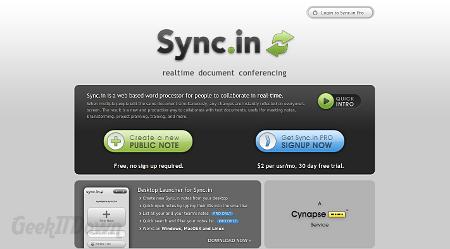
Word processing is part of everyday tasking. On desktops there are many options, including Microsoft Word and OpenOffice Writer. For mobile devices, apps such as QuickOffice Pro and Kingsoft Office fit the bill. Even Google Docs is an option for working in the cloud. Those in search of a real-time, easy to use, cloud based, collaborative, word processing solution need look no further than Sync.in from Cynapse.
Sync.in offers two versions of the product. Through their public option, notes are displayed publicly and shared via dedicated link. Users who share their notes are able to collaborate with others and build a document through input from multiple users. The additions are updated in real time which means collaborators don’t need to wait for notification of changes.
Features of Sync.in include typical word processor settings such as font and paragraph manipulation along with authorship colors for distinguishing between collaborators. Those looking to use Sync.in for HTML or other coding will find the line numbering to be especially helpful. All documents can be exported as HTML, plain text or bookmark file. Sync.in sharing options include email, Twitter, Facebook, Del.icio.us, Digg, LinkedIn, Ping.fm and Cyn.in for Cynapse users. Along the way, revisions are saved and users can save revisions at any time. Through the use of Sync.in’s Time Slider feature, collaborators can go back in time and view revisions as they happen and use the restore function to back the entire document up to an earlier period in time.
Sync.in Pro offers some advanced options which include enhanced security permissions. Items like private notes with public sharing options and password protection make Sync.in a more viable option for sensitive or confidential collaborations.
The interface is smooth and while there can be delay in using cloud based solutions like Sync.in, we didn’t experience any buffering or delay. The layout is easily maneuverable, but could be more logical to gather all options in a centralized location. Beyond that small inconvenience, Sync.in offers a great way of helping people collaborate together on a word processor project and offers a built-in chat function for working simultaneously.
Visit Sync.in
If you enjoyed or found this article useful, please show us some support by liking us on Facebook or by sharing us on your favorite social website. Thanks!